
Frustrated by a Cuisinart toaster that pops up immediately? This article explains why your toaster won’t stay down and how to fix it quickly. From mechanical issues to electrical faults, we cover every possible cause—and offer simple solutions so you can toast bread without stress.
Have you ever pulled out a slice of perfectly golden toast, only to find it’s still sitting upright in the slot—because your Cuisinart toaster refuses to stay down? It’s one of those kitchen frustrations that feels like a personal insult: you press the lever, expect it to lower, and instead, it bounces back up like it’s mocking you. You’re not alone. Many Cuisinart toaster owners have experienced this exact issue, and while it might seem like a minor glitch, it can seriously disrupt your morning routine. But don’t worry—this isn’t necessarily a sign that your appliance is on its last legs. In fact, most times, the problem has a logical explanation and an even simpler fix.
Cuisinart is known for building reliable, high-quality appliances, but like any mechanical device, toasters can develop problems over time. Whether it’s due to wear and tear, improper handling, or just a build-up of crumbs, there are several reasons why your Cuisinart toaster might refuse to stay down. Understanding what’s going on under the hood (without having to take apart the entire machine) can save you time, money, and unnecessary stress. In this article, we’ll walk through everything you need to know about diagnosing and fixing a Cuisinart toaster that won’t stay down—so you can get back to making toast the way it was meant to be made.
Key Takeaways
- Bent or misaligned lifting mechanism: The most common reason a Cuisinart toaster won’t stay down is a bent or damaged lever arm or spring system inside the unit.
- Loose or broken internal components: Over time, screws, springs, or plastic gears can wear out or become loose, preventing the toaster from locking into place.
- Faulty heating elements or sensors: Electrical issues can interfere with the toaster’s ability to detect when bread is inserted and keep it down.
- Dust and crumb buildup: Accumulated food debris can block the lifting mechanism, making it hard for the toaster to sense the bread properly.
- Improper use or overloading: Inserting too much bread at once or using non-standard sizes can trigger safety features that prevent the toaster from staying down.
- Warranty and replacement options: Many models come with limited warranties; check eligibility before attempting repairs yourself.
📑 Table of Contents
Understanding How Your Cuisinart Toaster Works
Before diving into fixes, it helps to understand how the toaster’s lifting mechanism functions. Most Cuisinart toasters, especially their classic models like the Cuisinart CPT-122 or CPT-180 series, use a combination of springs, levers, and mechanical linkages to lower and raise the bread slots. When you press the lever, it triggers a series of internal movements that engage the springs and allow the slots to descend. Once the bread is fully inserted, the mechanism should lock into place, allowing the heating elements to do their job.
However, if something interferes with this process—whether it’s a misaligned part, a clogged sensor, or a weak spring—the toaster may fail to recognize that bread is present and will pop back up. This behavior mimics the “no bread” detection feature designed to prevent accidental heating when the slots are empty. So, even if you’ve inserted a slice of bread, the toaster might not register it properly and assume it’s still empty.
The Role of Safety Sensors
One key component often overlooked is the presence of infrared sensors or mechanical switches that detect whether bread is actually in the slot. These sensors tell the control board whether to proceed with toasting or not. If these sensors are dirty, misaligned, or damaged, they might give false readings—leading the toaster to believe no bread is present. This is especially common after cleaning, when small parts shift slightly, or when debris blocks the sensor path.
Common Models Affected
While this issue can occur across many Cuisinart toaster models, it’s particularly prevalent in popular ones like the Cuisinart Classic Series CPT-122, the Cuisinart Convection Toaster Oven (models like CPT-450), and the Cuisinart Smart Settings Toaster (CPT-180). Each model has slight variations in design, but the core issue—failure to stay down—stems from similar mechanical or electronic causes.
Top Reasons Why Your Cuisinart Toaster Won’t Stay Down
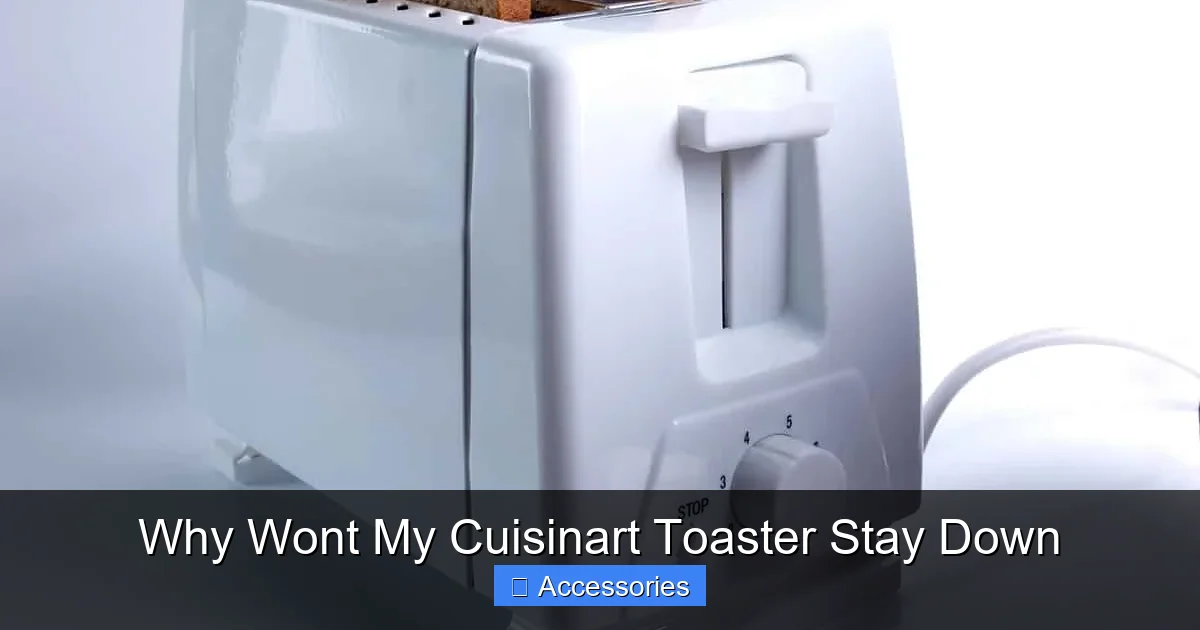
Visual guide about Why Wont My Cuisinart Toaster Stay Down
Image source: howdykitchen.com
Let’s break down the most frequent culprits behind this annoying problem. Knowing the root cause is the first step toward a lasting solution.
1. Bent or Misaligned Lifting Lever
The lifting lever is essentially the control center for the entire mechanism. If it gets bent—even slightly—it won’t engage properly with the internal springs and gears. This can happen if someone accidentally drops the toaster, bumps it against a countertop, or forces the lever down too hard.
To check this:
– Unplug the toaster.
– Open the toaster completely (if your model allows access to the internal compartment).
– Inspect the metal or plastic lever for visible bends or warping.
– Gently bend it back into alignment if possible. Use pliers with soft cloth protection to avoid further damage.
Sometimes, even minor dents can throw off the entire system. If the lever looks significantly deformed, consider replacing it—especially if it’s part of a larger assembly.
2. Worn or Broken Springs
Springs are responsible for keeping the slots lowered when bread is inserted. Over time, these springs can lose tension or snap entirely. A broken spring means the toaster can’t maintain the downward position, causing immediate popping.
Signs of spring failure include:
– The toaster staying down briefly before rising.
– Visible gaps where the spring should connect.
– Cracks or rust on metal springs.
Replacement springs are available online (search for your specific model number) or through Cuisinart customer service. Always unplug the toaster before inspecting or replacing internal parts.
3. Loose Internal Components
Vibration from daily use can loosen screws, nuts, or other fasteners inside the toaster. Even if nothing looks obviously broken, a wobbly connection can disrupt the delicate balance required for the mechanism to work.
What to do:
– Remove the outer casing (refer to your user manual for disassembly instructions).
– Tighten all visible screws and bolts.
– Check for loose wires near the lever mechanism.
Be cautious—working inside a plugged-in appliance is unsafe. Only inspect internal components after unplugging and waiting a few minutes for capacitors to discharge.
4. Dirty or Clogged Sensors
Modern Cuisinart toasters often rely on optical or mechanical sensors to detect bread. Dust, crumbs, or even grease from repeated use can block these sensors, tricking the toaster into thinking the slots are empty.
Cleaning steps:
– Turn off and unplug the toaster.
– Use a soft brush (like a clean toothbrush) or compressed air to gently remove crumbs around the slots and sensor area.
– Wipe sensors with a slightly damp microfiber cloth—never spray liquid directly into the toaster.
Regular maintenance prevents this issue. After each use, shake out excess crumbs and wipe the exterior with a dry cloth.
5. Faulty Control Board or Electrical Issues
In rare cases, the problem lies with the electronic control board. If the board doesn’t receive proper signals from the sensors or lever, it may default to the “empty” setting, causing the toaster to rise regardless of input.
Diagnosing this requires advanced knowledge, but symptoms include:
– The toaster working intermittently.
– Other functions (like cancel or reheat) also failing.
– No response when pressing the lever.
At this point, contacting Cuisinart support or a certified technician is recommended. Attempting to repair the control board yourself could void your warranty or cause further damage.
6. Improper Bread Placement
It sounds silly, but sometimes the issue isn’t mechanical at all—it’s user error. Cuisinart toasters are designed to accommodate standard-sized slices. If you insert bagels, thick artisan loaves, or multiple slices at once, the toaster might not recognize them as valid inputs and refuse to stay down.
Tips for proper use:
– Use medium-thickness bread slices.
– Avoid inserting more than two slices unless your model explicitly supports it.
– Ensure bread is centered in the slots.
If you frequently bake large items, consider upgrading to a wider toaster oven combo—like the Cuisinart 6 Quart Pressure Cooker Reviews—which offers more versatility.
Step-by-Step Troubleshooting Guide

Visual guide about Why Wont My Cuisinart Toaster Stay Down
Image source: howdykitchen.com
Now that you know the likely causes, here’s how to systematically troubleshoot your Cuisinart toaster:
Step 1: Unplug and Inspect
Safety first! Always disconnect the toaster from power before opening it. Look for obvious signs of damage, crumbs, or misalignment.
Step 2: Clean Thoroughly
Remove all crumbs using a vacuum attachment or brush. Pay special attention to the sensor areas and around the lever mechanism.
Step 3: Test the Lever Mechanism
Press the lever down manually (with the toaster unplugged) to see if it moves smoothly. Listen for grinding noises or resistance—these indicate internal friction or damage.
Step 4: Check for Loose Parts
If accessible, open the housing and tighten any loose screws. Don’t overtighten, as this can strip threads.
Step 5: Replace Faulty Components
If a spring or lever is broken, order a genuine replacement part. Search for “Cuisinart [model] replacement lever” or contact Cuisinart directly.
Step 6: Reset the Appliance
Some models benefit from a full reset. Unplug for 10 minutes, then plug back in. This can clear minor electronic glitches.
Step 7: Consult the Manual
Your owner’s manual contains model-specific diagrams and troubleshooting tips. Digital copies are usually available on Cuisinart’s website.
When to Call a Professional
Visual guide about Why Wont My Cuisinart Toaster Stay Down
Image source: howdykitchen.com
While many issues can be resolved at home, there are times when professional help is best. Consider reaching out to Cuisinart support if:
– You’ve tried all troubleshooting steps and the problem persists.
– You suspect an electrical fault or control board issue.
– The toaster is still under warranty (self-repair may void coverage).
Cuisinart offers excellent customer service and can ship replacement parts quickly. Plus, they often provide detailed repair guides for technicians—sometimes useful even for DIYers.
Alternatively, if your toaster is older and repair costs exceed 50% of a new unit’s price, it might be smarter to invest in a newer model. Modern toasters include improved safety features, better browning controls, and easier maintenance.
Preventive Maintenance Tips
Avoid future headaches by following these simple care routines:
Daily Cleaning
After each use, shake out crumbs and wipe the exterior. Use a dry cloth—never immerse the base or lever in water.
Monthly Deep Clean
Every month, remove the crumb tray and wash it with warm, soapy water. Let it air dry completely before reinserting.
Avoid Forcing the Lever
Never jam the lever down with excessive force. If it resists, stop and investigate—something is blocking the movement.
Store Properly
Keep the toaster in a dry, cool place. Humidity can cause corrosion in internal metal parts over time.
Use Appropriate Bread Types
Stick to standard slicing bread unless your model specifies otherwise. Wide or thick items can interfere with sensor accuracy.
By treating your Cuisinart toaster with care, you’ll extend its lifespan and reduce the chance of mechanical failures.
Comparing Cuisinart Toasters with Competitors
While Cuisinart makes reliable appliances, it’s worth noting that some competing brands handle the “stay-down” mechanism differently. For example, Breville uses a dual-spring system with enhanced sensor feedback, while Dualit relies on heavier-duty mechanical locks. However, Cuisinart balances durability with affordability—making it a favorite among home cooks.
If you’re considering alternatives, check reviews for models with user-reported reliability in long-term use. Sometimes, switching brands isn’t necessary—just understanding your current model’s quirks can make all the difference.
Final Thoughts: Is It Worth Fixing?
So, should you fix your Cuisinart toaster or replace it? That depends. If the issue is minor—like a loose screw or dusty sensor—a quick fix will save you money and hassle. But if internal components are corroded, cracked, or repeatedly failing, investing in a new toaster might be wiser.
Remember, even the best appliances have lifespans. A well-maintained Cuisinart toaster can last 5–10 years with regular care. And when it does finally retire, you’ll know you gave it a fair shot.
For those interested in expanding their kitchen toolkit, exploring other Cuisinart appliances like the Cuisinart Mini Prep Plus Food Processor Review or the Cuisinart 14 Cup Food Processor Reviews can enhance your cooking experience beyond toasting.
And if you’re looking for creative ways to enjoy bread without a working toaster, check out our guide on how to toast a bagel without a toaster easily. Sometimes, a workaround beats waiting for repairs!
Ultimately, a stubborn Cuisinart toaster doesn’t mean your mornings are doomed. With patience, a few tools, and this guide, you’ll have toast-ready perfection in no time.
Frequently Asked Questions
Why won’t my Cuisinart toaster stay down even when I put bread in?
This usually happens because the internal mechanism—like the lever, spring, or sensor—is either misaligned, worn out, or blocked by crumbs. The toaster thinks no bread is present and pops back up as a safety feature.
Can I fix my Cuisinart toaster myself without buying new parts?
Yes! Start by cleaning the crumb tray and checking for loose screws or visible damage. Often, a simple reset or tightening a bolt resolves the issue without needing replacements.
Is it safe to open my Cuisinart toaster to check internal parts?
Only if the toaster is unplugged and cooled down. Working on live electrical components is dangerous. If you’re unsure, consult a professional or contact Cuisinart support.
How often should I clean my Cuisinart toaster to prevent this issue?
Clean it after every use—shake out crumbs and wipe the exterior. Do a deeper clean monthly, including washing the crumb tray and brushing sensor areas.
Will using thicker bread cause my Cuisinart toaster to not stay down?
Possibly. Very thick or wide bread may not trigger the sensors correctly. Stick to standard slicing bread unless your model specifically supports larger items.
My Cuisinart toaster worked fine yesterday—why did it suddenly stop staying down?
Sudden changes often point to a physical shock—like dropping the unit or slamming the lid shut. Check for bent parts or loose connections. Also, recent cleaning might have shifted internal components.